

『Digiten Flow Meter Manual: C++ Arduino Wiring Pulse Calibration Sizing Guides』Related information(flow rotameter|digital flow meter|balo meter|hydraulic flow meter|volumetric meter|positive displacement meter|pitot tube flow meter|displacement meter|cfm meter|variable area flow meter|inline flow meter|differential pressure flow meter|calibrated flow meter|velocity meter|paddle wheel flow meter|oval gear flow meter|anemometer hvac|multiphase flow meter|doppler flow meter|thorpe tube flowmeter|heat flow meter)
Digiten Flow Meter Manual: C++ Arduino Wiring Pulse Calibration Sizing Guides
Quick Answer: Use the Digiten flow meter manual to find the K factor and wire colours. Connect the pulse output to Arduino digital pin 2 or 3 with a 10k ohm pull up resistor. Count pulses in C++ over one second windows and convert to flow using the K factor. Size the meter for DN8 to DN25 clean water lines only.
This page gives a practical wiring and calibration sequence for the Digiten flow meter manual. It also covers sizing guides and industrial meter options when you need pulse output, 4-20 mA HART, or a stronger body for process fluids.
What the Digiten Flow Meter Manual Data Tells You
The manual lists a supply voltage of 5 to 24 V DC for most Digiten hall effect flow meters. It lists a pulse output and a K factor such as 450 pulses per litre. But the K factor changes by model and pipe size. Always read the label on the side of the meter body. Do not trust a generic K factor from a random screenshot.
Most failures we see on customer sites come from the power supply or a missing pull up resistor. Here is the thing. The pulse output usually floats. The Arduino internal pull up may work on short wires. In practice a 10k ohm external resistor to 5 V gives a cleaner square wave.
Arduino Wiring for a Digiten Flow Meter
Use three wires if the cable has red, black, and yellow. Connect red to 5 V. Connect black to GND. Connect yellow to digital pin 2. Place a 10k ohm resistor between digital pin 2 and 5 V. If the cable has no built in resistor, the signal may float and cause ghost counts.
Do not connect the pulse wire to an analog pin. The signal is a frequency, not a voltage level. If your Arduino runs at 3.3 V, check the logic input. A 5 V pulse can overdrive some 3.3 V boards. Use a simple voltage divider with two resistors in that case.
We have seen this on customer sites in Vietnam and the Philippines. A food filling skid double counted because the signal wire ran next to a VFD cable for 4 metres. Keep signal cable away from motor cables.
C++ Pulse Calibration Logic for Arduino
The base code uses an interrupt counter. Use attachInterrupt with a falling edge or rising edge. Count pulses in a 1000 ms window. Calculate flow rate in litres per minute with this formula. Flow L/min equals pulses divided by K factor times 60.
volatile unsigned long pulseCount = 0; unsigned long lastRead = 0; float kFactor = 450.0; float flowRate = 0.0; float flowTotal = 0.0; void countPulse(){ pulseCount++; } void loop(){ if(millis() - lastRead >= 1000){ noInterrupts(); unsigned long pulses = pulseCount; pulseCount = 0; interrupts(); flowRate = (pulses / kFactor) * 60.0; flowTotal += pulses / kFactor; lastRead = millis(); } }
Do not print every loop. Print once per second using Serial.print. A slow serial print during loop adds jitter. For total flow use an unsigned long totalPulses variable. Convert totalPulses to litres after each cycle.
Most engineers skip the calibration part. They upload the code, see a reading, and assume it is correct. Run a known volume test. Push 10 litres through the meter and compare the total. Adjust the K factor if the meter reads high or low. If it reads high by 5 percent, multiply the K factor by 1.05.
Sizing Guides for Digiten and Industrial 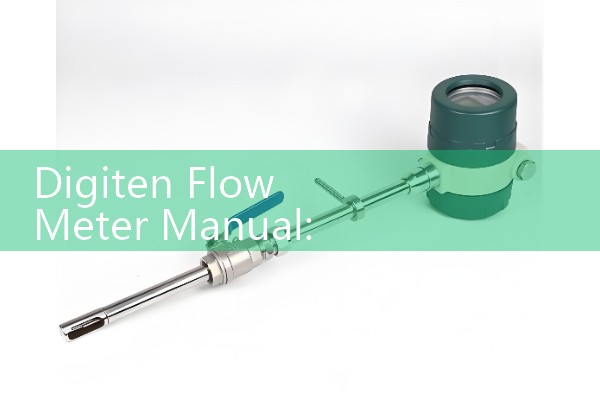
Digiten plastic body flow meters suit clean water, low pressure, and small lines from DN8 to DN25. They are not for hydrocarbons, hot condensate, or abrasive slurry. For those fluids choose a metal body industrial flow meter.
For line sizing, use velocity as the first check. Liquid should flow between 0.5 and 5 m/s in most cases. A DN15 line at 1 m/s carries about 0.64 m3/h. A DN25 line at 1 m/s carries about 1.77 m3/h. Do not put a DN25 meter on a DN50 pipe just to save cost. The low velocity gives poor repeatability.
For water and wastewater, the Silver Instruments electromagnetic flow meter is a better fit from DN15 to DN200. It has 4-20 mA HART, RS485 Modbus, and pulse output. For diesel, lube oil, or chemicals, the oval gear flow meter gives a real pulse output and works with Arduino counters. Sizes go from DN4 to DN80. For compressed air or nitrogen, use a thermal mass flow meter.
Industrial Upgrade Options from Silver Instruments
Silver Automation Instruments is a flow meter manufacturer and supplier for OEM skid builders and end users. We supply flow meters with full manuals. The manuals include wiring colours, K factors, Modbus registers, and calibration sheets. We support customers in Southeast Asia, Australia, Latin America, the Middle East, and Africa.
Do not rely on a forum post for a custody transfer or a batch dosing system. A missing pull up resistor can cause a 3 percent error. A plastic body meter on hot CIP fluid can fail in weeks. Use an industrial meter with the right liner, electrodes, and output board.
Send us your pressure (bar), temperature (°C), pipe size (DN), and flow range. Tell us the fluid name and conductivity if you have it. Contact Silver Automation Instruments at Tel +86-25-68650347, WhatsApp +86-25-52155837, or WeChat +86 15365082610. We reply within 24 hours on business days.
FAQ
What is the K factor in a Digiten flow meter manual?
The K factor is the number of pulses per litre. Common values are 330, 450, 660, or 1100 pulses per litre depending on model and pipe size. Read it from the label or the model code.
How do I wire a Digiten flow meter to Arduino?
Red goes to 5 V, black goes to GND, yellow goes to digital pin 2. Add a 10k ohm resistor between the yellow wire and 5 V. Use a voltage divider if your board is 3.3 V logic.
Why does my Arduino flow reading jump around?
Usually the pulse signal has noise from a missing pull up resistor, long cable, or VFD interference. Use a 10k ohm external pull up. Keep the cable away from motor cables. Add a 100 nF capacitor across the input only if the noise is high frequency.
Can I use a Digiten meter for diesel or chemicals?
No. Most Digiten bodies are plastic and suit clean water. Diesel and solvents can swell seals and internals. Use an oval gear flow meter or turbine meter with compatible body and seal materials.
What flow range should I use for a DN15 pipe?
For water, a flow range from 0.1 to 2.0 m3/h fits a DN15 line. If the flow drops below 0.05 m3/h, use a smaller meter or a different technology. For batch dosing, give the minimum and maximum flow rates to the supplier.
See the industrial flow meter selection at flow-meter.com.au. Ask for a quote with your process data and the pulse output or totalizer series you need.
 Hot Product
 Related AD